Multi-Cluster Kubernetes: Patterns, Pitfalls, and When You Don't Actually Need It
Multi-cluster Kubernetes is genuinely powerful for the right problems — and genuinely expensive for everything else. Here's an honest look at when it's worth it and what the implementation actually looks like.
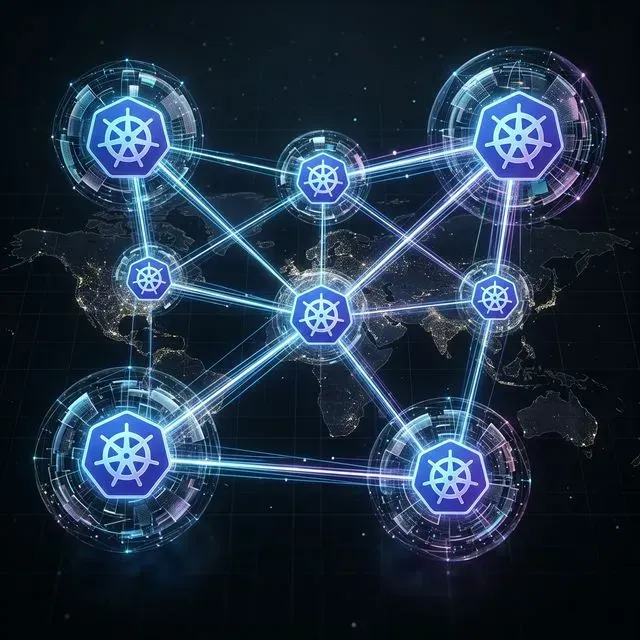
Let me be direct upfront: most teams I see adopting multi-cluster Kubernetes don't actually need it yet. They jump to it because it sounds mature, because it's what the large cloud-native companies blog about, or because someone on the team wants to work with the interesting tech. And then they spend the next year dealing with the operational complexity they signed up for before they had the workload requirements to justify it.
That said, when you do need it, you really need it. The reasons that actually justify multi-cluster are specific and serious. Let me walk through those first, then cover the patterns and implementation reality.
When You Actually Need Multiple Clusters
Compliance and Data Residency Isolation
If you process data under regulations that require strict isolation — PCI DSS cardholder data, PHI under HIPAA, data residency requirements for EU customers — a namespace within a shared cluster often isn't sufficient. The compliance auditor's question is: "Can a misconfigured RBAC rule or a kernel vulnerability in one workload reach the regulated data?" In a shared cluster, the honest answer is "theoretically yes."
Multi-cluster eliminates this question entirely. A cluster boundary is a hard isolation boundary at the infrastructure level. Cardholder data processing runs in one cluster, never reachable from your general workload cluster regardless of Kubernetes configuration.
This is a legitimate business requirement, not an architectural preference.
Blast Radius Isolation
A cluster is a failure domain. A bad deployment, a misconfigured HPA that consumes all cluster resources, a node group that goes down — these affect everything in the cluster. If all your workloads share one cluster, a runaway service can starve your highest-priority services.
Multi-cluster lets you carve out blast radius. Your payment processing cluster doesn't go down because someone deployed a memory-leaking ML training job in your analytics cluster.
The counterargument: good resource quotas, PriorityClasses, and node pools within a single cluster can achieve most of this isolation. I've seen this work at significant scale. Multi-cluster for blast radius is worth it only when you're running workloads with fundamentally different operational characteristics (batch/interactive, tier-1/tier-n) and single-cluster isolation primitives feel too risky.
Latency Requirements
If you have users globally and need sub-50ms latency to the nearest pod, you need clusters in multiple regions. A single us-east-1 cluster cannot serve ap-southeast-1 users with low latency.
This is straightforward physics, not an architecture decision. If your SLA requires it, you need regional clusters.
Scale Limits
A single Kubernetes cluster has practical limits: roughly 5000 nodes, 150,000 pods, 300,000 containers according to the scalability thresholds. Most teams won't hit these. If you're approaching them, you likely already have a dedicated platform team and know you need multi-cluster.
Common Multi-Cluster Patterns
Active-Active
Both clusters serve production traffic. Load is distributed between them — either by geography (regional routing via Route53 latency-based routing), by service tier, or by functional domain. Services in Cluster A can call services in Cluster B when needed.
This is the most operationally complex pattern. You need:
- Cross-cluster service discovery (so services know how to reach each other)
- Cross-cluster load balancing (traffic distribution)
- Data consistency strategy (usually avoid cross-cluster synchronous writes; use event sourcing or eventually consistent patterns)
The difficulty: debugging distributed requests that span clusters. Distributed tracing becomes critical, and the mental model for "where is this failing" gets significantly harder.
Regional Sharding
Each cluster handles a geographic region. Users are routed to the nearest cluster and stay there. No cross-cluster service calls in the hot path. Data is sharded by region.
This is much simpler than active-active. Clusters are operationally independent. A failure in ap-southeast-1 doesn't affect us-east-1. The challenge is data — how do you handle a user who moves regions, or global analytics queries?
This is the pattern I'd recommend if latency is your driver. It's the most operationally tractable form of multi-cluster.
Environment Separation
Dev, staging, and production in separate clusters. This is the gentlest entry into multi-cluster and is often how teams get started.
Honestly, this is a legitimate reason to have multiple clusters, even if each cluster is small. The blast radius argument alone justifies it: a broken staging deployment that consumes all cluster resources shouldn't affect production. The operational overhead is manageable if you use GitOps for deployment (one change to a Git repo propagates to the right cluster based on branch/path).
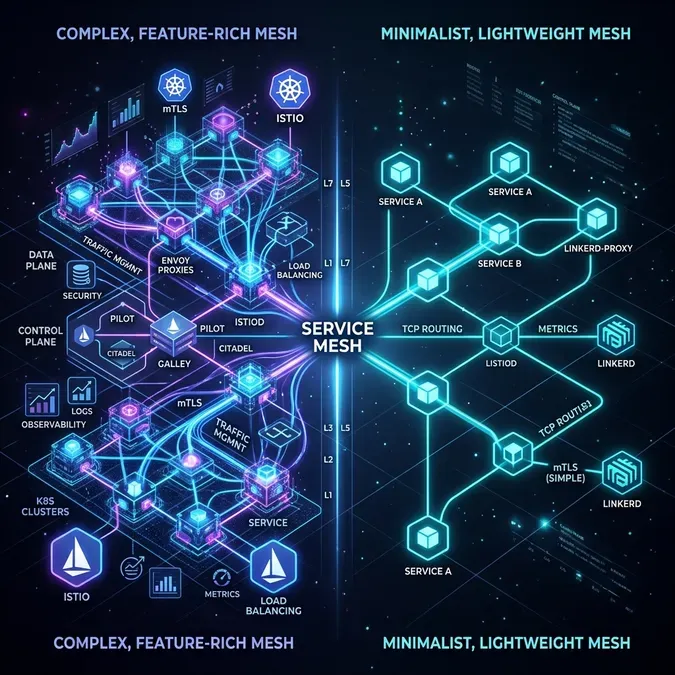
Cross-Cluster Service Mesh: Istio Multi-Cluster vs Linkerd
When services in different clusters need to call each other, you need cross-cluster service discovery and routing. Two mature options: Istio multi-cluster and Linkerd multi-cluster.
Istio Multi-Cluster
Istio's multi-cluster model comes in two topologies:
- Multi-primary: each cluster has its own Istio control plane, synced via shared CA
- Primary-remote: one cluster has the control plane, others are remotes
Multi-primary is more resilient (no single control plane SPOF) but more complex to configure.
1# Enable multi-cluster on primary cluster (EastWest gateway)
2apiVersion: install.istio.io/v1alpha1
3kind: IstioOperator
4metadata:
5  name: istio
6  namespace: istio-system
7spec:
8  values:
9    global:
10      meshID: my-mesh
11      multiCluster:
12        clusterName: cluster-east
13      network: network-east
14  components:
15    ingressGateways:
16    - name: istio-eastwestgateway
17      label:
18        istio: eastwestgateway
19        app: istio-eastwestgateway
20        topology.istio.io/network: network-east
21      enabled: true
22      k8s:
23        env:
24        - name: ISTIO_META_REQUESTED_NETWORK_VIEW
25          value: network-east
26        service:
27          ports:
28          - name: status-port
29            port: 15021
30            targetPort: 15021
31          - name: tls
32            port: 15443
33            targetPort: 15443
34          - name: tls-istiod
35            port: 15012
36            targetPort: 15012
37          - name: tls-webhook
38            port: 15017
39            targetPort: 15017
Then expose services from each cluster:
# Create remote secret (allows cluster-east control plane to access cluster-west API)
istioctl create-remote-secret \
  --name=cluster-west \
  --server=https://cluster-west-api-endpoint \
  | kubectl apply -f - --context=cluster-east
With Istio multi-cluster configured, a service in cluster-east can call http://my-service.namespace.svc.cluster.local and Istio will transparently route to a pod in cluster-west if no local pods are available or healthy.
Linkerd Multi-Cluster
Linkerd's multi-cluster story is simpler than Istio's — deliberately so. It uses service mirroring: a service in a remote cluster is mirrored as a local service with a naming convention (service.namespace.svc.cluster.west.local).
1# Install Linkerd with multi-cluster support
2linkerd install --crds | kubectl apply -f -
3linkerd install | kubectl apply -f -
4linkerd multicluster install | kubectl apply -f -
5
6# Link clusters
7linkerd multicluster link --cluster-name west \
8  --kubeconfig ~/.kube/config \
9  --context cluster-west \
10  | kubectl apply -f -
To expose a service for cross-cluster access, add a label:
kubectl label svc my-service \
  mirror.linkerd.io/exported=true \
  -n my-namespace
Linkerd then creates a mirror service in the other cluster automatically. The mirrored service has the remote cluster's gateway as its endpoint.
My opinion: Linkerd's multi-cluster model is significantly easier to operate and debug than Istio's. Istio gives you more features (advanced traffic shaping, fault injection), but for most multi-cluster use cases, Linkerd's simplicity is worth more than Istio's features. If you're already invested in Istio for single-cluster service mesh, stay with Istio. If you're starting fresh, Linkerd is worth considering.
GitOps for Multi-Cluster Fleet Management
With multiple clusters, pushing changes via CI/CD pipelines to each cluster becomes untenable. You need GitOps — the cluster should pull its desired state from Git.
Argo CD is the most widely deployed solution. The Argo CD ApplicationSet controller lets you define one template and deploy it to many clusters:
1apiVersion: argoproj.io/v1alpha1
2kind: ApplicationSet
3metadata:
4  name: guestbook
5  namespace: argocd
6spec:
7  generators:
8  - clusters:
9      selector:
10        matchLabels:
11          environment: production
12  template:
13    metadata:
14      name: '{{name}}-guestbook'
15    spec:
16      project: default
17      source:
18        repoURL: https://github.com/myorg/gitops-repo
19        targetRevision: HEAD
20        path: 'apps/guestbook/overlays/{{metadata.labels.region}}'
21      destination:
22        server: '{{server}}'
23        namespace: guestbook
24      syncPolicy:
25        automated:
26          prune: true
27          selfHeal: true
This ApplicationSet deploys guestbook to every cluster labeled environment: production, using a region-specific Kustomize overlay. Add a new cluster with the right label and it gets the application automatically.
Flux v2 is the other major option. Flux's multi-cluster model uses Kustomization resources that can target remote clusters:
1apiVersion: kustomize.toolkit.fluxcd.io/v1
2kind: Kustomization
3metadata:
4  name: guestbook-us-east-1
5  namespace: flux-system
6spec:
7  interval: 10m
8  sourceRef:
9    kind: GitRepository
10    name: gitops-repo
11  path: ./apps/guestbook
12  kubeConfig:
13    secretRef:
14      name: cluster-us-east-1-kubeconfig
15  prune: true
16  targetNamespace: guestbook
Both are production-ready. Argo CD has a better UI for visualizing multi-cluster state. Flux is more Kubernetes-native in its configuration model.
Cluster API for Lifecycle Management
Once you have three or more clusters, managing their creation and lifecycle through console clicks or ad-hoc Terraform becomes painful. Cluster API (CAPI) is a Kubernetes-native way to declare clusters as resources:
1apiVersion: cluster.x-k8s.io/v1beta1
2kind: Cluster
3metadata:
4  name: production-us-west-2
5  namespace: default
6spec:
7  clusterNetwork:
8    pods:
9      cidrBlocks: ["10.100.0.0/16"]
10  infrastructureRef:
11    apiVersion: infrastructure.cluster.x-k8s.io/v1beta2
12    kind: AWSCluster
13    name: production-us-west-2
14  controlPlaneRef:
15    apiVersion: controlplane.cluster.x-k8s.io/v1beta2
16    kind: AWSManagedControlPlane
17    name: production-us-west-2
18---
19apiVersion: infrastructure.cluster.x-k8s.io/v1beta2
20kind: AWSManagedControlPlane
21metadata:
22  name: production-us-west-2
23spec:
24  region: us-west-2
25  sshKeyName: my-key
26  version: "1.30"
27  eksClusterName: production-us-west-2
28  iamAuthenticatorConfig:
29    mapRoles:
30    - rolearn: arn:aws:iam::123456789:role/eks-node-role
31      username: system:node:{{EC2PrivateDNSName}}
32      groups:
33      - system:bootstrappers
34      - system:nodes
CAPI is operated from a "management cluster" — a dedicated Kubernetes cluster that manages all other clusters. This adds meta-complexity (who manages the manager?), but for fleets of 5+ clusters it's worth it.
The Honest Truth
Most teams I see adopting multi-cluster are at 2-3 clusters: production, staging, and maybe a separate dev environment. For this, the operational overhead is manageable and the benefits (blast radius isolation, environment parity) are real.
Where teams get into trouble: they adopt multi-cluster at 2-3 clusters and immediately implement active-active with cross-cluster service mesh because that's what the CNCF case studies describe. The result is extreme complexity for a workload that doesn't need it.
The progressive adoption path I'd recommend:
- Start: environment separation (dev/staging/prod). Each cluster is independent.
- Next: GitOps with Argo CD/Flux for deployment consistency. Get comfortable with multi-cluster operations.
- Only then: cross-cluster networking if your workload actually requires it.
If you're a team of 5-10 engineers with a single-region application that doesn't process regulated data: you almost certainly don't need multi-cluster. A well-configured single cluster with proper resource isolation, PodPriorityClasses, and node pools can serve you through most growth stages.
Evaluating whether your workload justifies multi-cluster adoption or whether you're reaching for complexity you don't need? Talk to us at Coding Protocols. We help platform teams make architecture decisions based on their actual requirements, not on what the CNCF landscape diagram makes look appealing.